Overview of the Web UI
Use the Packet Capture Module Web UI User Interface. The visual components and controls that users interact with to access features and manage the system. to manage settings and the actions of the packet capture modules deployed in your environment.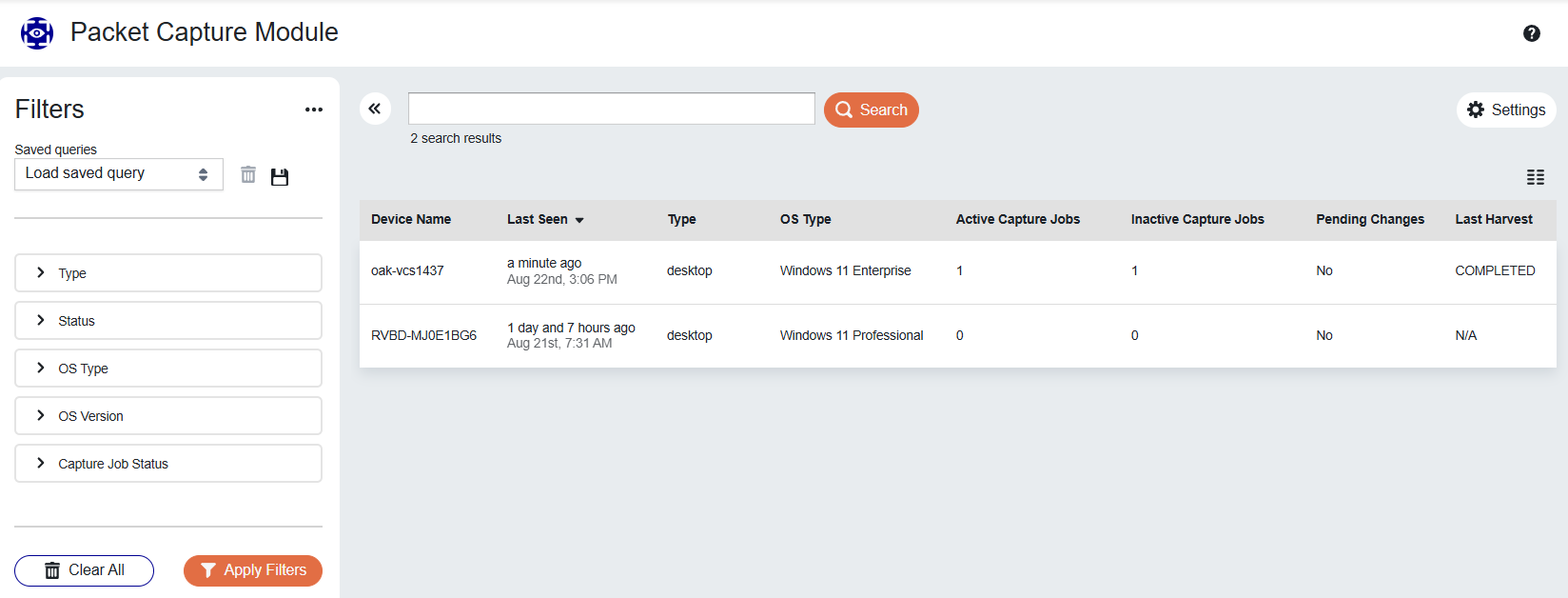
The Web UI consists of the following components:
-
Packet Capture Module Settings: Configure capture profiles, storage profiles, and global settings.
-
Filter Panel: Apply filters to focus the device list on specific devices of interest.
-
Search Bar: Search the device list by device name, hostname, status, or health information.
-
Device List: Displays all devices in your environment that have the Packet Capture Module deployed.
-
Capture Job List: Shows all capture jobs for each device in the Device List.
-
Harvest History: A historical record of all harvest operations performed on each device.
When you deploy a packet capture module, it will automatically register with the Packet Capture Module Web UI, and become visible in the device list. The new device uses the settings in your default capture profile A configuration template that defines packet capture parameters. to determine its initial behavior.
If the default profile is set to automatically start a capture, the new device will do so using the other configured parameters in the default profile. See Packet Capture Settings for more information.
If the default capture profile is set for the module to remain idle, the module will periodically send heartbeat health messages to the Backend Services, but capture jobs will not start until you issue a command to start a capture job Writes network packets to local disk for continuous or on-demand captures..