Packet Capture Module Overview
The NPM+ Packet Capture Module (PCM . A module that performs operations related to packet capture, allowing you to capture network packets and store them as PCAP files for analysis.) helps ensure that you have fast and secure access to host based packet captures, when you need them during a critical incident troubleshooting event.
The NPM+ Packet Capture Module is controlled remotely through the Packet Capture Module Command and Control (PCM C&C) User Interface, hosted on the Riverbed Platform. The user interface supports a flexible framework for sending commands to a Packet Capture Module. For example, start a capture job Writes network packets to local disk for continuous or on-demand captures., stop a capture job, harvest The process of retrieving PCAP files from devices and transferring them to a customer-provided repository for analysis. packets and transfer them to your customer provided packet capture file (PCAP Packet Capture. A file format that contains captured network packet data, typically used for network analysis and troubleshooting.) repository, as well as delete a capture job.
When you start a capture, packets are collected from every active interface and stored in a rolling buffer of a fixed size on the device running the capture module. This type of capture is called a “continuous capture”.
You control the default settings that the Packet Capture Module will use for captures that run in your environment. These settings include:
-
Maximum size of the rolling buffer.
-
Minimum amount of free space that must be maintained on the device. If free space falls below this amount, all captures on the device will be stopped.
-
Storage profiles
A configuration that defines where the stores PCAP files, specifying the storage type and connection details for customer-managed repositories. that define where harvested PCAP files are stored. For supported storage types, see Packet Capture Module Storage Profile Types.
Restrictions
-
The capture buffer must be on a local drive, remote drives are not supported.
-
The Packet Capture Module will attempt to detect if the capture buffer is a remote drive. If it detects the capture buffer is on a remote drive, the start capture operation will fail. This restriction exists to protect the capturing host from the additional network traffic that gets generated when writing packets to capture buffer on the remote drive.
-
The customer is responsible for ensuring the capture buffer is not on a remote network drive.
-
Command and control operates on one device at a time.
-
The Packet Capture Module supports up to three concurrent active captures per device. Each capture job must use a different capture profile with unique filters and size, time, or packet limits.
How the Packet Capture Module protects available free space on your devices
NPM+ Packet Capture Module has an emergency “kill” switch that will automatically stop active captures if percent of free space on a device falls below the minimum threshold that you set in global settings. You must set a value in this field before you will be permitted to start a capture.
The UI User Interface. The visual components and controls that users interact with to access features and manage the system. will show a low free space error for the device, as well as respond with an error message if you attempt to start a capture.
Once percent free space is above the threshold you will be able to start a new capture, or resume a stopped capture.
File Directories Used by Packet Capture Module
The Packet Capture Module stores capture buffers and related files in platform-specific directories on the endpoint. The exact paths depend on the endpoint operating system.
Windows endpoints
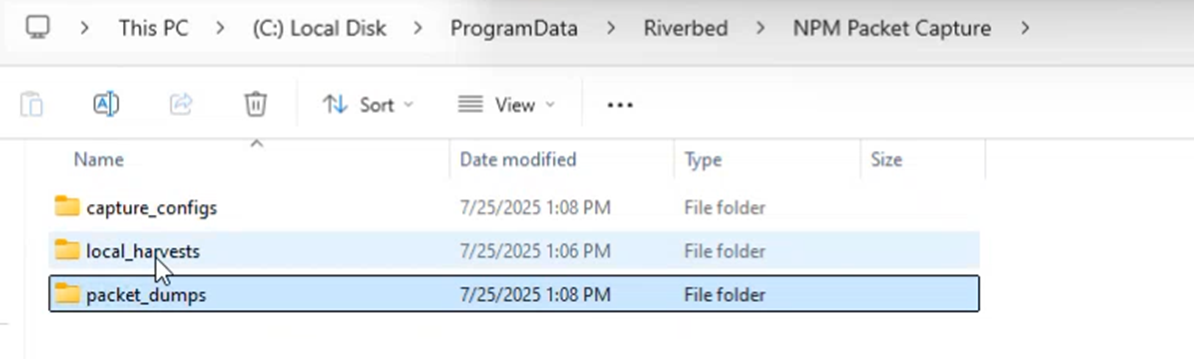
On Windows endpoints, the module uses three directories under C:\ProgramData\Riverbed\NPM Packet Capture:
Linux endpoints
On Linux endpoints, the module uses platform-specific directories under the Riverbed NPM Packet Capture installation path. See the NPM+ Core release news for your Linux endpoint for current directory locations.
Recommended Operational Model for Packet Capture Module
Proactive Operation
The NPM+ Packet Capture Module and related systems were designed with the expectation for mass deployment with continuous captures active on every device. This allows for rapid retrieval of critical PCAP files in response to an urgent issue. When needed, you harvest the last NN minutes, a specific time period, or the entire capture buffer at any time, while a continuous capture is running. When the harvest to your customer supplied PCAP repository is completed, you will retrieve the PCAP and perform necessary deep dive protocol analysis directly from your repository.
For more information on continuous and on-demand captures, see Understanding Continuous Capture vs. On-Demand.
On-Demand Operation
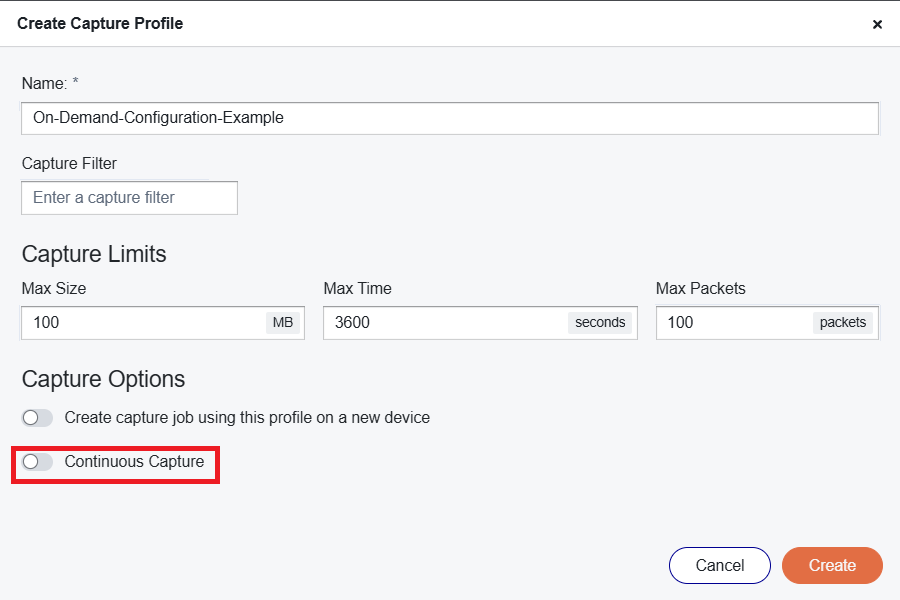
You also have the option to use an "on-demand" capture instead of continuous capture. In this mode the capture job will automatically stop when the condition in the capture profile A configuration template that defines packet capture parameters. is met, and the relevant toggle switch is not set to "continuous capture".