Connect the Packet Capture Module to Local Storage
Local storage allows you to store harvested PCAP Packet Capture. A file format that contains captured network packet data, typically used for network analysis and troubleshooting. files in a specific path on the endpoint itself. Use this storage type when you want harvested files to remain on the device rather than written to a cloud repository or network share.
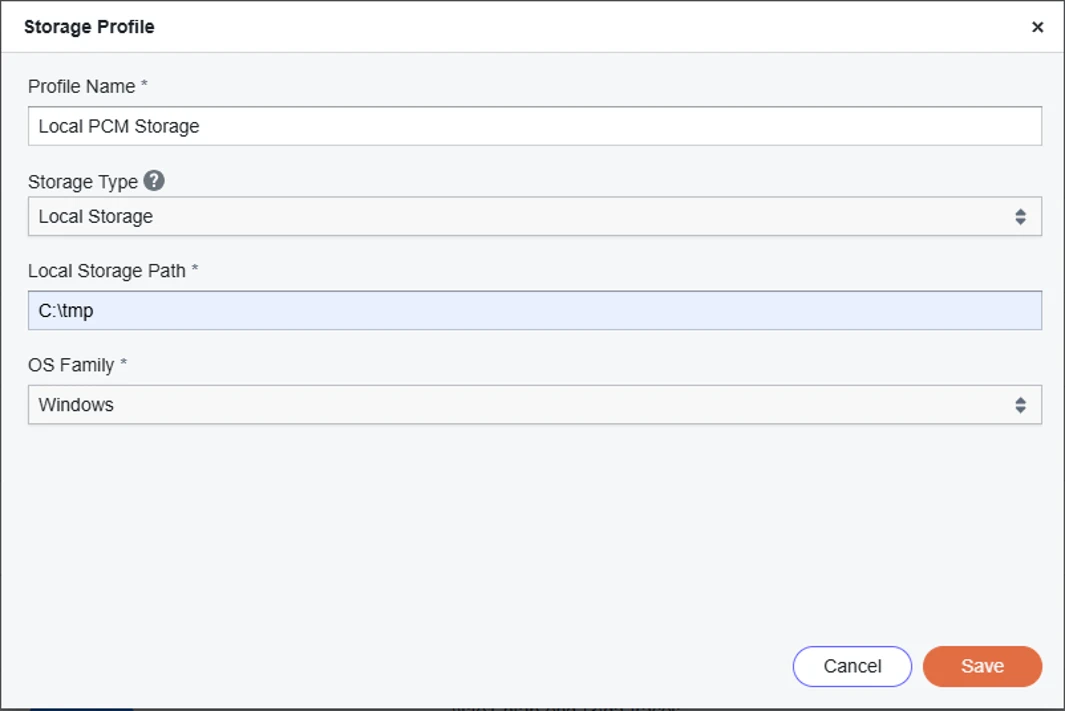
A Local storage profile contains a Local Storage Path and an OS Family that specifies which endpoint operating systems the profile applies to. Local storage profiles appear only when you harvest from a device whose OS family matches the profile.
Prerequisites
Before you create a Local storage profile, ensure the target path is writable and that the partition has enough free space for harvested PCAP files. The path format must match the selected OS family:
-
Windows: Use a drive-letter path (for example,
C:\tmp). -
Linux: Use an absolute path starting with
/(for example,/var/pcap-storage). -
macOS: Use an absolute path starting with
/(for example,/var/pcap-storage).
Creating a storage profile for local storage
To create a Local storage profile:
-
Navigate to the PCM page:
-
Click Apps in the left menu.
-
Click Apps Library.
-
Open Packet Capture Module.
-
-
Click the hamburger icon and select Packet Capture Configuration in the side bar.
-
Click the Storage Profile tab.
-
Click Create Storage Profile.
-
Enter a profile name.
-
Select Local Storage from the storage type dropdown.
-
Enter the Local Storage Path.
-
Select the OS Family for the target endpoints.
-
Click Save. Your Local storage profile is now set up. You can specify this storage profile for future harvest commands.
After a harvest completes, use the chain icon in harvest history to copy the target path to the clipboard. For more information, see Lists of Harvests.