Data Forensics Main Table Pane
The Main Table Pane displays data for a selected group by In Workspaces Data Forensics, a dimension (e.g. application, host, service, client IP) that you choose from the sidebar to load data into the main table. Data is aggregated or broken down by that dimension. The sidebar lists available group bys for the selected analysis workspace. from the Sidebar. Each group by populates the Main Table Pane with specific data from that group by.
There are two ways to place group bys in the Main Table Pane.
-
Drag the group by from the group by list and drop into the Main Table Pane.
-
Double click the group by from the group by list.
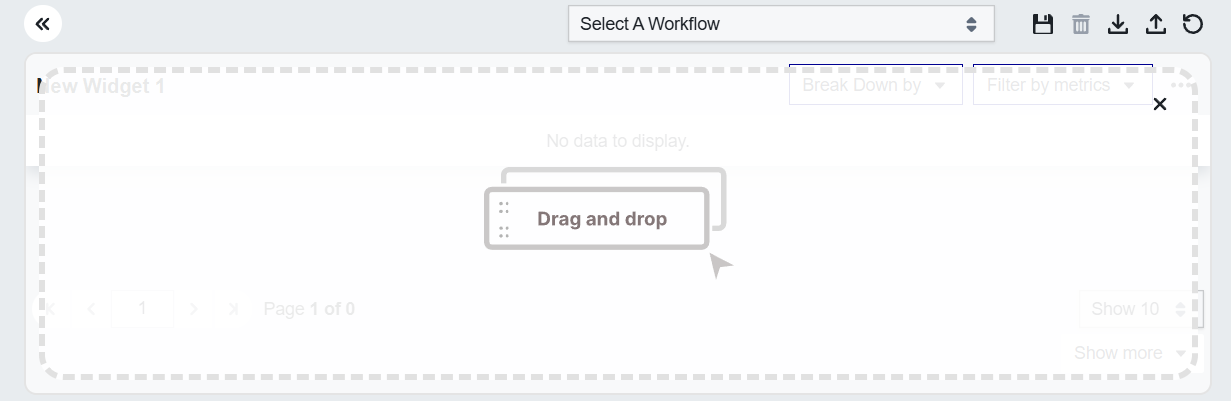
The Main Table without a group by
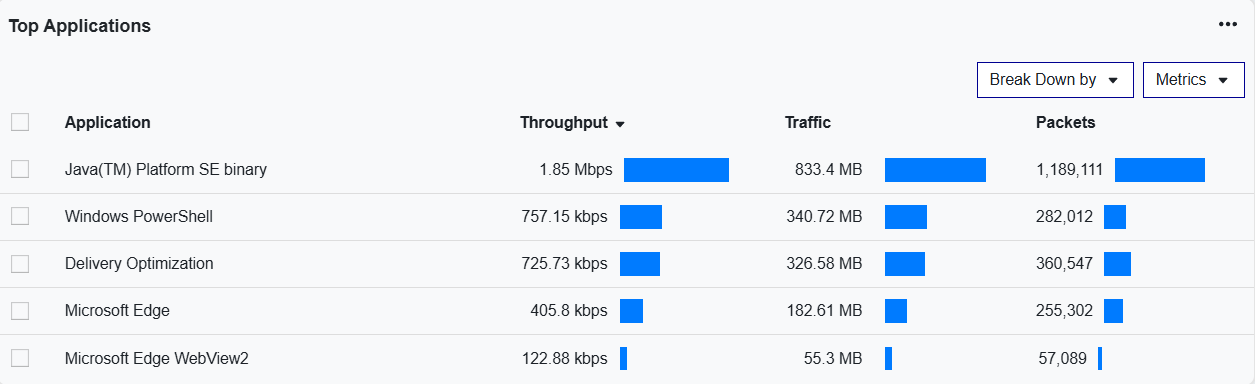
The Main Table with a group by
The following list describes the icons of the Workspaces Main Table Pane from left to right:
-
Show/hide the Sidebar
-
Select a workflow from the list (preconfigured or saved).
-
Save the current workflow.
-
Delete the current workflow from your user preferences.
-
Import a workflow you have previously exported.
-
Export the current workflow.
-
Reset the entire workspace.